
Best Ergonomic Mouse for Office Work: Vertical vs Trackball
Why Standard Mice Fall Short
The problem starts with conventional mouse design. A standard flat mouse forces your hand and forearm into a pronated position, meaning your palm faces downward. This requires the two bones in your forearm, the ulna and radius, to twist over one another. Maintaining this unnatural posture for hours on end increases muscular tension and can lead to repetitive strain injuries (RSI), carpal tunnel syndrome, and chronic wrist pain.
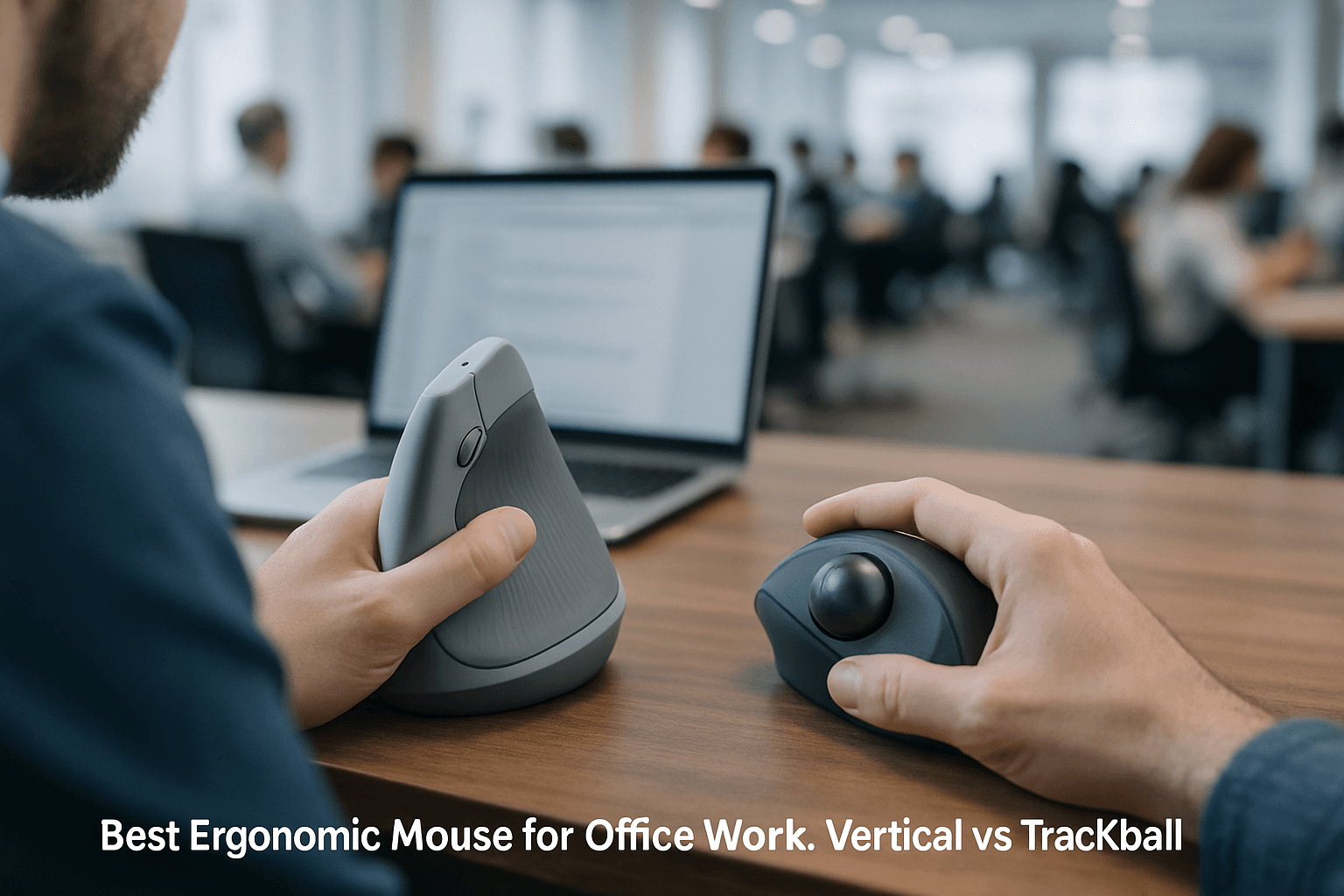
Vertical Mice: The Handshake Grip
Vertical mice represent the most straightforward alternative for office workers focused on wrist health. Vertical and semi-vertical designs turn your palm towards your midline instead of downwards, creating a handshake position that may feel more natural.
A vertical mouse puts your hand in a handshake position, which cuts forearm twist by about a third and lowers the muscle load in the forearm. That takes pressure off the median nerve. Vertical mice reduce forearm pronation and can help decrease wrist deviation. Vertical mice rotate the hand toward a handshake grip, reducing pronation and often reducing ulnar deviation (sideways wrist bend).
Who should choose a vertical mouse: If your concern is with forearm and wrist ergonomics, as well as RSI like Carpal Tunnel and De Quervain's Tenosynovitis, you should choose a vertical mouse. This demographic spends the majority of their day navigating text, spreadsheets, and applications. The vertical mouse delivers significant ergonomic benefits without disrupting established workflow patterns, making for an easy and effective upgrade.
The Logitech MX Vertical is the best ergonomic mouse for most users, owing to its refinement of the vertical mouse design.
Trackball Mice: Minimal Movement
Trackballs take a different approach: you keep the device stationary while moving a ball with your fingers or thumb. This design minimizes the work your shoulder and arm have to do throughout the day.
Trackballs require minimal elbow and wrist movements, reducing strain and discomfort for users. For minimal arm movement, trackballs reduce forearm activity by up to 60%. Trackballs also save desk real estate. Since the trackball doesn't have to move, the only space required is the space the trackball takes up, which is very minimal. These mousing devices are ideal for small space setups or space-saving solutions.
The learning curve: Unlike vertical mice, trackballs require adjustment. Trackballs take a few weeks to master, and thumb-operated models can shift strain from the wrist to the thumb if overused.
Who should choose a trackball: If your concern is desk space, speed and precision, and productivity-driven designs, then trackballs are the choice for you. Trackballs come in a much wider variety of designs, and you can likely find a great fit if you are willing to adjust. Budget options like the TeckNet Rechargeable Ergonomic Vertical or the Logitech M575S trackball mouse offer highly functional alternatives.
Trackpads: Gesture-Based Control
External trackpads occupy a middle ground between traditional mice and specialized ergonomic devices. They offer a practical solution if you prefer gesture-based navigation or multi-touch controls.
For creative work, video editing, and photo retouching, trackpads deliver smooth multi-finger gestures and tactile smoothness that helps reduce fatigue. Trackpads require minimal wrist and hand movement, reducing strain during prolonged use, and support multi-finger gestures, enabling efficient navigation and control without excess motion.
However, trackpads come with positioning challenges. Trackpads are typically positioned below the keyboard, which may cause users to angle their wrists or lean forward more than necessary. Proper technique matters significantly: ergonomist Allen Yagjian recommends lifting your wrists off your work surface when using a trackpad, or rotating your thumb up and using your middle finger as your primary pointer. Trackpads can contribute to RSI if gestures are repeated frequently without breaks, especially when combined with poor posture.
Who should choose a trackpad: Trackpads work best for those who prioritize desk space and gesture-based workflows, particularly designers and creative professionals. However, they require more conscious posture management than vertical mice or trackballs.
Making Your Choice
The best ergonomic mouse depends on your specific pain patterns and workflow. Vertical mice (35–70° adjustable tilt) are most effective for wrist-focused carpal tunnel, while centralized devices like RollerMouse Pro relieve shoulder and neck pain alongside wrist strain.
Pairing an ergonomic mouse with higher DPI settings (1600–2400), micro-breaks every 30–45 minutes, and targeted wrist stretches creates a long-term injury prevention strategy that compounds over time. No matter which device you select, ergonomics is about matching your workspace to your body so that your joints work in their strongest, safest positions.
If you're experiencing pain, give your new device at least two weeks of exclusive use before deciding. Medical professionals note that switching to an ergonomic mouse may feel awkward at first, but the long-term benefits are worth it.