
Best Tablet Keyboard for Productivity: iPad vs Samsung vs Surface
Best Tablet Keyboard for Productivity: iPad vs Samsung vs Surface
When you add the right keyboard to a tablet, it stops being just a screen for consumption and becomes a genuine productivity machine. But which platform's keyboard experience wins for serious work? We've compared the leading options from Apple, Samsung, and Microsoft to help you decide.
iPad: The Magic Keyboard Dominates
The Apple Magic Keyboard for iPad Pro (M4 and M5) is the best keyboard for iPad we've tested. It's Apple's flagship model and is available for 11-inch and 13-inch iPad Pro models.
What Makes It Stand Out
Comfortable backlit keys and a scissor mechanism with 1 mm travel for quiet, responsive typing. A large trackpad with haptic feedback is perfect for precision tasks like editing a spreadsheet and selecting text, or simply navigating your iPad with intuitive and familiar Multi-Touch gestures.
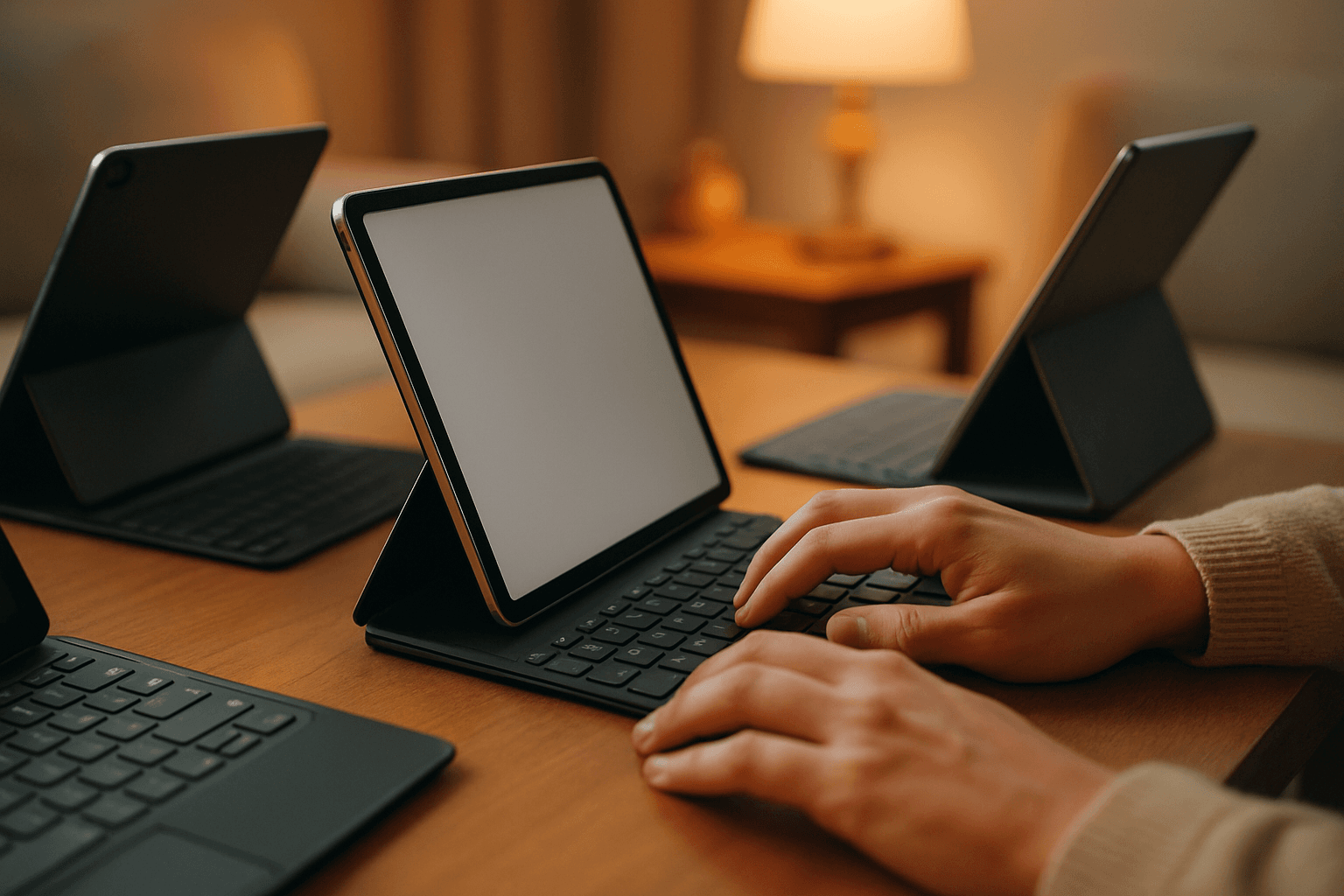
The design is practical for real work. The Magic Keyboard has a floating cantilever design, allowing you to attach iPad Pro and iPad Air magnetically and to smoothly adjust it to the perfect viewing angle for you. It connects via the Smart Connector so doesn't need to be paired over Bluetooth. It does not require its own power supply – the USB-C port is a pass-through port for charging, leaving the USB-C port on the iPad Pro free.
The Trade-offs
Despite its capabilities, the Magic Keyboard has limitations. Its laptop-style landscape-only setup is excellent at a desk, but inconvenient for portrait reading, drawing, or tablet-first use. The biggest complaint about the Magic Keyboard has been the weight, which adds quite a lot of bulk to the iPad Pro.
Pricing
You just spent at least a grand on a new iPad Pro, and you're wondering why you should waste $299-$349 more on a keyboard case. The 11-inch version runs around $289, while the 13-inch Magic Keyboard is regularly $349.
Samsung: Desktop Mode Meets Portability
Samsung tablets transform when paired with their Book Cover Keyboard line, particularly with models like the Galaxy Tab S11 series. The approach differs fundamentally from Apple's premium hardware focus.
Core Features
This keyboard cover elevates the Galaxy Tab S10+ to a mini laptop with its full-size keys, trackpad, and DeX Mode, providing a familiar desktop environment. Only specific Galaxy Tab S-series models (S9, S10, and S11) paired with Samsung's official Book Cover Keyboards deliver reliable trackpad support, full DeX desktop mode, and stable Bluetooth/Wi-Fi integration.
DeX mode is the real differentiator here. Samsung tablets now prioritise productivity tools like DeX and S Pen for modern workflows. Samsung's tablet lineup has steadily shifted toward productivity, with features like DeX, S Pen support, and larger displays making them viable work devices rather than just entertainment screens.
Design Philosophy
Unlike iPad's cantilever approach, the Book Cover Keyboard Slim offers more than just protection it includes an integrated keyboard so that you can type comfortably anytime. Its slim and lightweight design keeps your tablet looking sleek while helping you stay productive on the go. With the Book Cover Keyboard Slim, working on your Galaxy Tab is easy. With one tap, you can get AI assistance.
Pricing
Book Cover Keyboard Slim - Galaxy Tab S11 $144.99. That's roughly half the cost of Apple's premium offering, making Samsung an attractive choice for budget-conscious buyers who still want a trackpad and solid keyboard experience.
Surface Pro: Full Windows Power
The Microsoft Surface Pro 11 Copilot PC Bundle is the best tablet with a keyboard for most users in 2026. It runs full Windows 11 Pro, has a 2.8K 120Hz display, delivers up to 2 days of battery life, and ships with the Surface Pro Keyboard and Slim Pen.
What Separates Surface
Surface occupies a unique position: it's genuinely a full laptop in tablet form. Surface Pro is a detachable 2-in-1 that works as both a tablet and a full Windows laptop. Microsoft views its flagship Surface Pro as an actual Windows 11 computer, only a detachable keyboard happens to be part of the package.
The Flex Keyboard Option
For power users, Microsoft offers a premium alternative. The Surface Pro Flex Keyboard can be used while attached physically or connected wirelessly through Bluetooth. The keyboard is reinforced with extra layers of carbon fiber, has a customizable haptic trackpad, and includes a slot for the Surface Slim Pen.
The Flexibility Factor
The biggest selling point of Microsoft's Surface Pro Flex Keyboard is the stability it offers right on your desk, and that you may use it away from the screen (via Bluetooth) even when it's not attached. The Surface Pro Flex Keyboard charges when you connect it to the Surface Pro, while lasting over 40 hours on a charge.
Pricing
The standard Surface Pro keyboards start cheaper than iPad's Magic Keyboard, but the premium Flex option demands a premium price. The Surface Pro Flex Keyboard costs $349.99 on its own or $449.98 with a Slim Pen.
The Desktop Mode Showdown
For serious productivity work, how each system handles desktop functionality matters. DeX and Windows 11 are the most capable, with DeX being the better choice for travel and Windows 11 being the better choice for office work. iPad, despite its hardware strength, remains constrained by iPadOS—useful for creation but not a full laptop replacement.
Which Should You Choose?
Pick iPad if you prioritize typing feel, trackpad quality, and seamless hardware integration. The Magic Keyboard is the most refined keyboard experience across all three platforms, but you're paying for that polish.
Pick Samsung if you want multitasking power, a built-in trackpad, solid typing experience, and better value for your money. The Book Cover Keyboard turns a Tab S11 into a legitimate work device without breaking the budget.
Pick Surface if you need full Windows software compatibility, don't want compromises on desktop apps, and can justify the premium pricing. Surface Pro with a Flex Keyboard is the only option here that truly replaces a traditional laptop.
The best tablet keyboard for productivity isn't one-size-fits-all—it depends on your workflow, budget, and whether you need full desktop power or excellent mobile-first tools.