
Gaming PC: A Complete Guide to Building Your Next Gaming Rig
What Makes a Gaming PC Different
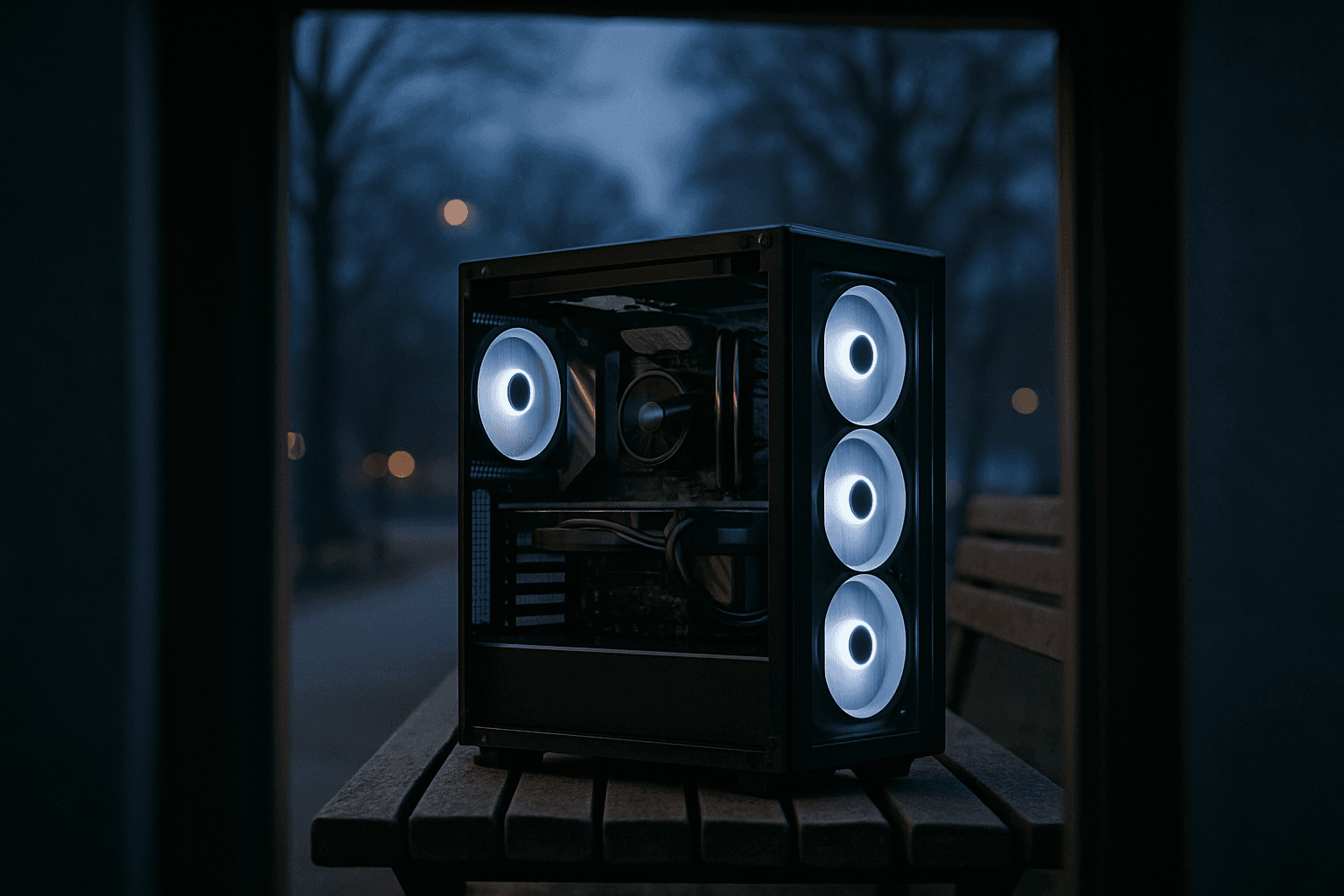
The GPU is the most important component in a gaming PC, responsible for delivering smooth frame rates, high visual quality, and advanced features like ray tracing. Beyond the graphics card, gaming PCs demand a carefully matched system of components working in concert. The best gaming PCs take advantage of a combination of central processing units (CPUs), graphics processing units (GPUs) and the fastest, most efficient storage options to provide users with responsive, seamless and fun gameplay.
Core Components You Need
Graphics Card (GPU)
The graphics card, also known as the GPU (Graphics Processing Unit), is the number one component in a gaming PC. It calculates and renders every image you see on your screen. The more powerful it is, the higher the resolution you can play at, with detailed graphics and a high FPS rate.
There are two main families of graphics cards for gaming PCs: NVIDIA GeForce RTX (30 to 50 series) and AMD Radeon RX (6000 to 9000 series). The key is matching your GPU to your target resolution and games. In 2026, 12GB of VRAM is the minimum for comfortably playing recent games at 1080p/1440p.
CPU (Processor)
Modern games benefit from CPUs with at least 6 cores and 12 threads. For high-end gaming, an 8-core or even 12-core CPU can provide better performance, especially for games optimized for multi-threading. The CPU handles game logic, physics calculations, and artificial intelligence—critical tasks that directly impact frame rates, particularly in open-world and strategy games.
RAM (Memory)
The right PC specs for gaming in 2026 starts with a capable GPU, a well-matched CPU, at least 16GB of DDR5 RAM, and a fast NVMe SSD. In 2026, 16GB of RAM is the minimum for comfortable gaming. If you stream or create content alongside your gaming sessions, 32GB is really recommended.
DDR5 is the current generation—faster than DDR4—and is now standard on new Intel platforms (LGA 1851) and AMD platforms (AM5).
Storage (SSD)
NVMe SSDs connect to the M.2 slot and load games significantly faster than HDDs. 500GB minimum, 1TB recommended. Installing modern games on a Solid State Drive (SSD) is now strongly recommended—and often mandatory—to eliminate texture pop-in and reduce long loading screens.
Power Supply (PSU)
Wattage must exceed total system draw — 550W for budget builds, 650W for mid-range GPUs. Beyond wattage, quality matters. Look for PSUs with an 80 PLUS certification, which guarantees efficiency levels of at least 80%. Higher certifications, such as 80 PLUS Gold or Platinum, offer even better efficiency.
Cooling and Case
A case with at least two included fans and mesh front panel provides adequate airflow for most gaming builds. Many gaming builds come with a stock CPU cooler, though enthusiasts upgrade for better thermal performance and lower noise.
Gaming PC Price Tiers
Gaming PC costs vary widely depending on your performance goals and resolution target:
Budget Tier: $700–$1,100
Entry-level builds deliver smooth 1080p gameplay at 60+ FPS. A budget gaming PC designed for playing older titles or esports games at lower settings typically ranges from $700 to $900, depending on discounts and component choices.
Mid-Range Tier: $1,200–$2,200
These systems excel at 1440p gaming with 100+ FPS on high settings for most titles. At 1440p you get a solid balance of visual quality and performance, and it's the most popular target for PC gamers in 2026.
High-End Tier: $2,500+
High-end rigs handle 4K at maximum settings. These systems target competitive players, content creators, and those who demand maximum visual fidelity and frame rates.
Resolution and Performance Targets
Your resolution choice fundamentally shapes which components you need:
At 1080p you can achieve high frame rates with a mid-range card. At 4K, you'll need a significantly stronger GPU with ample VRAM to maintain smooth, fluid gameplay.
Building Versus Buying Pre-Built
Building it yourself saves money, eliminates proprietary motherboard/PSU bottlenecks, and guarantees quality components. However, prebuilt gaming desktops have improved dramatically in recent years. The days of overpriced systems with mediocre components are largely behind us. Today's best prebuilts come with current-generation GPUs, fast NVMe SSDs, DDR5 memory, and competitive pricing.
Maintenance and Longevity
Gaming PCs require regular maintenance, such as cleaning dust from fans and updating drivers. Neglecting maintenance can lead to performance issues and hardware failures. Keep your system clean and ensure adequate airflow to extend component lifespan.
Final Thoughts
Building a gaming PC in 2026 requires balancing performance, budget, and future-proofing. At 1440p you get a solid balance of visual quality and performance, and it's the most popular target for PC gamers in 2026. Start by defining your resolution and frame rate target, select a GPU that matches that goal, and build around it with a well-matched CPU, adequate RAM, fast storage, and quality power delivery. Whether you invest $800 or $4,000, understanding these fundamentals ensures you'll get the best performance for your budget.