
Mechanical Keyboard Switches Comparison: Linear, Tactile & Clicky
The Three Core Switch Types
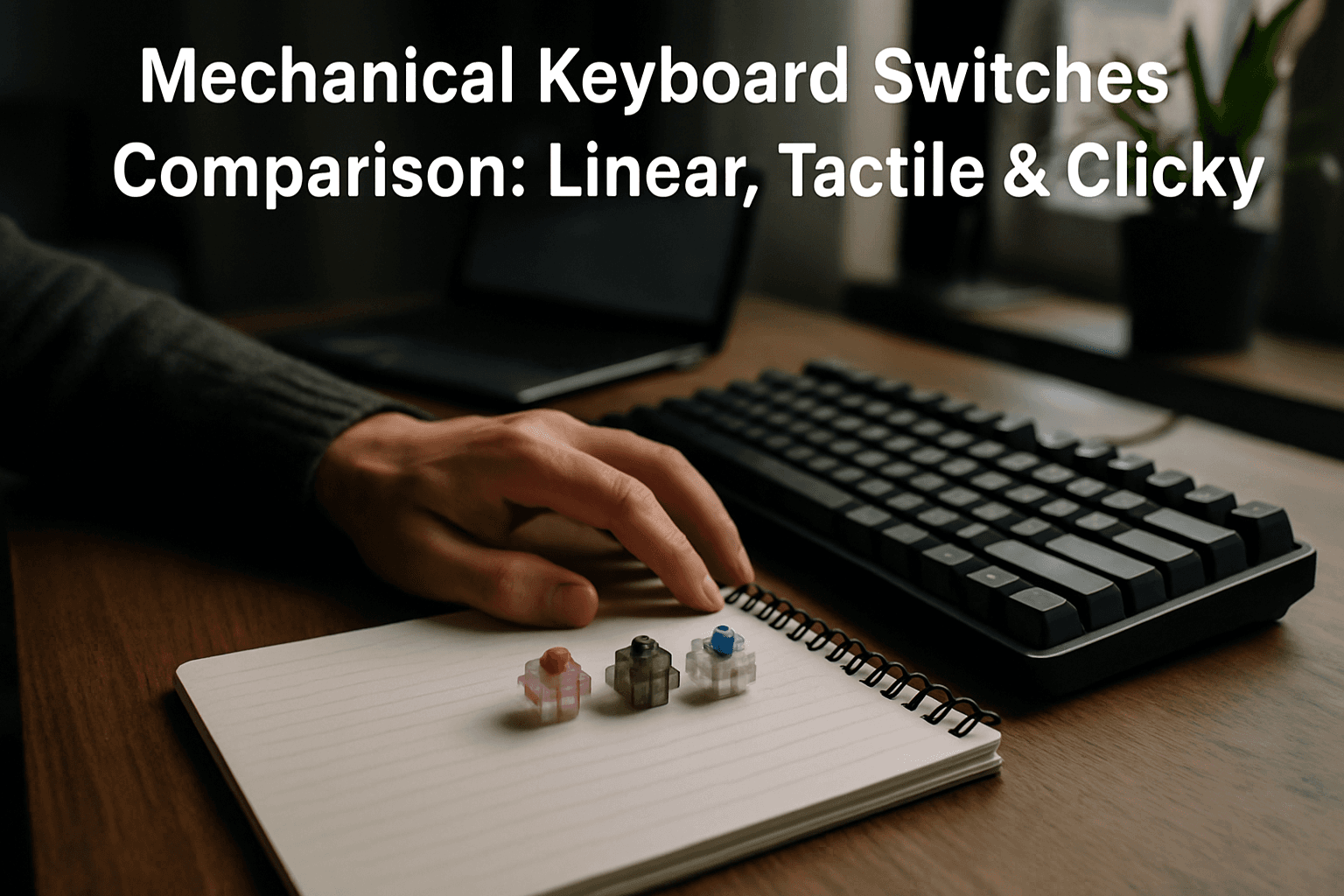
The three main types of mechanical keyboard switches are Linear, Tactile, and Clicky. Each type offers a distinct feel and sound, with these differences coming down to the internal mechanics of the switch, affecting how the key responds when pressed.
Linear Switches: Smooth and Silent
Linear switches offer a smooth keystroke without any tactile bump or audible feedback, providing consistent resistance throughout the key press, making them predictable and easy to use. When you press a linear switch, there's no physical signal to indicate the actuation point, and the resistance stays consistent throughout the keystroke, which is why linear switches are often described as feeling "clean," "fluid," or "buttery."
Popular examples include the Cherry MX Red with a 45g actuation force and the Gateron Milky Yellow Pro, which features a 50g actuation force and 62g bottom-out force. These switches are especially favored for gaming, where quick and repeated key presses matter most.
Tactile Switches: Feedback Without Noise
Tactile switches feature a noticeable bump in the middle of the keystroke, providing feedback that a keypress has been registered. Unlike clicky switches, they offer feedback without the loud "click" sound, making them ideal for mixed-use scenarios.
The Cherry MX Brown is the most popular tactile switch worldwide, with a 55g actuation force and a gentle bump at 2mm—it's the "compromise" switch with enough feedback for typing comfort without so much bump that it slows gaming inputs. Typing feedback helps accuracy and rhythm, making tactile switches well-suited for office environments, everyday typing, and mixed use.
Clicky Switches: Maximum Feedback
Clicky switches combine a tactile bump with a distinct audible click, offering maximum feedback but can be noisy. Clicky switches combine a tactile bump with an audible click sound on each keypress, allowing you to both feel and hear when the key registers.
The Cherry MX Blue has a middle level tactile bump with sharp clicky sounds, featuring a 60g actuation force, 2.2mm actuation distance, and 4.0mm bottom-out travel. Clicky switches are best reserved for environments where noise isn't a concern—or where you actively want that auditory confirmation.
Understanding Actuation Force
Switch actuation force is literally the minimum weight required to push a switch down to its actuation point—the exact depth where the keypress is registered by your PC, measured in centi-Newtons (cN) or grams (g).
Most mechanical switches fall within the 45g to 60g range, though lighter switches like Gateron Clears require only 35g, while heavier options like Gateron Greens demand up to 80g.
Light switches (35g–45g): A lower actuation force like 45g means you can trigger abilities or movements with the slightest touch. Lighter switches are often faster to press and can help reduce fatigue during extended gaming sessions.
Medium switches (45g–55g): The versatile middle ground that's great for hybrid users who game and type, with tactile switches like Browns often living here.
Heavy switches (60g+): For deliberate typists who love strong feedback and want to avoid accidental presses at all costs. Higher force requires a more deliberate press, which can reduce typos.
Comparing Popular Cherry MX Switches
Cherry MX dominates the mechanical keyboard market, with several standardized variants you'll encounter:
The Cherry MX Red is the default gamer choice, offering smooth linear feel with light actuation at 45g, 2.0mm actuation distance, and 4.0mm total travel.
Cherry MX Browns are one of the most popular tactile switches on the market. They have a 45g actuation force at 2.0mm with 4.0mm total travel—the only difference between Browns and Reds is whether you want that tactile bump on each keystroke.
The Cherry MX Grey is like a heavier, more tactile Brown with an 80g actuation force, while the Cherry MX Black is a smooth linear switch with middle-weight actuation at 60g.
The Cherry MX Speed Silver is designed explicitly for competitive gaming, with 45g actuation force but the actuation point sits at just 1.2mm—nearly half the travel of a standard Red with 3.4mm total travel, so less distance to actuate means faster reaction times.
Hot-Swappable Keyboards and Switch Compatibility
A hot-swappable keyboard lets you pull out and replace individual switches without soldering—the single most useful feature for anyone who wants to experiment with how their keyboard feels.
Mechanical switches come in two main configurations: 3-pin (plate-mounted) and 5-pin (PCB-mounted), with both featuring two metal pins that transmit the electrical signal and one large plastic pin in the center for alignment, while 5-pin switches include two extra plastic legs on the sides, which provide additional stability by anchoring directly into the PCB.
Every hot-swappable keyboard that supports 5-pin switches will support 3-pin switches, though 3-pin switches may be less stable due to having 2 less plastic pins. A 5-pin switch will not sit flat in a PCB that only has three holes, but you can clip the two extra plastic legs off with flush cutters and it will then work perfectly.
Gaming, Typing, and Mixed Use
For FPS and competitive games, use linear switches for speed and smooth key travel, while for RPGs and strategy games, use tactile or clicky for satisfying feedback on ability presses. Tactile switches offer the best balance for both gaming and typing, while linear is better for pure gaming speed and clicky for typing satisfaction.
Tactile switches work best for users who want confirmation without noise, making them ideal for mixed-use keyboards in shared spaces or for those who split time between gaming and typing-heavy tasks.
The Bottom Line
The best mechanical keyboard switch isn't determined by brand loyalty or aesthetic—it's determined by how you actually use your keyboard. Linears are smooth, tactiles have a bump, and clickies make a click, with each type feeling and sounding unique and having strengths and drawbacks that affect typing comfort, gaming performance, and whether your keyboard is welcome in an office. Take time to test different types before committing to a full keyboard build, and remember that personal preference matters far more than any specification sheet.