
USB-C vs Lightning Connector: Key Differences & Which to Buy
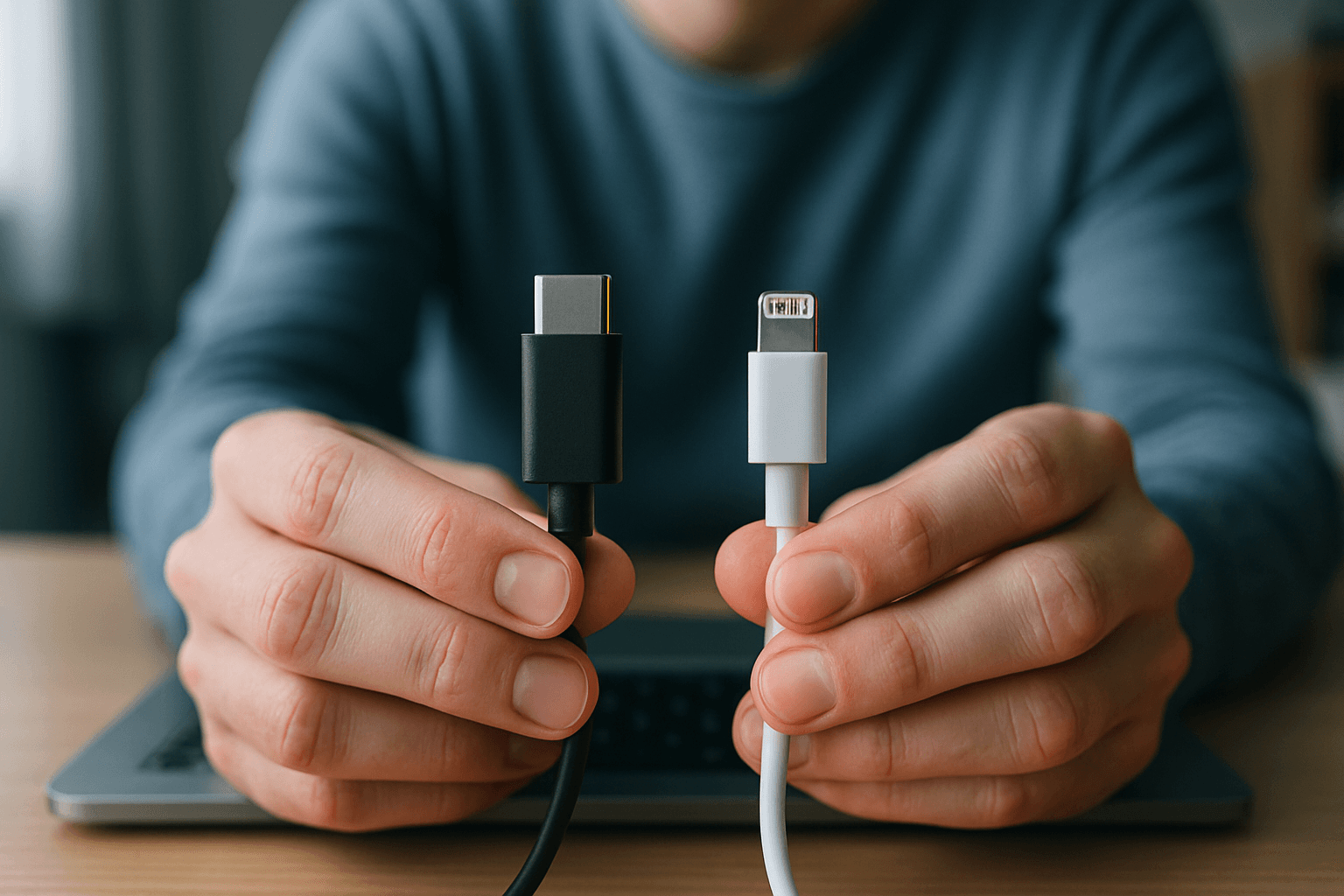
Understanding the Two Standards
Lightning is a proprietary connector developed by Apple Inc. for use with their iOS devices and accessories. Introduced in 2012, the Lightning connector replaced the older 30-pin dock connector, offering a more compact, reversible design.
Launched in 2014, USB-C (also known as USB Type-C) is a universal standard for wired connection, allowing charging and data transfer of smart devices on a single cable. USB-C is an industry-standard connector that various manufacturers widely adopt across a broad range of devices, including smartphones, laptops, tablets, and accessories.
The fundamental difference comes down to standardization: Lightning is a proprietary connector exclusive to Apple devices, limiting its compatibility with the ecosystem.
Device Compatibility: Which Phones Use What
The version of your iPhone determines which connector you need. iPhones through iPhone 14 use Apple's proprietary Lightning connector; iPhone 15 and later use the universal USB-C port.
The iPhone 14 and 14 Plus are the last iPhone models to feature the Lightning port, as their successors, the iPhone 15 and 15 Plus, use a USB-C port.
For iPad users, in 2018, Apple began transitioning to USB-C on iPad Pros and accessories. The iPhone 15 and 15 Plus and the iPhone 15 Pro and Pro Max, announced on September 12, 2023, became the first iPhones to use USB-C, and the last few Lightning accessories made the transition in 2024 and 2025.
If you own Android devices, you'll find USB-C across the board—Samsung, Google, and virtually every other manufacturer uses the standard.
Physical Design and Interior Architecture
The connectors look and function differently. USB-C measures 8.34 mm wide and 2.56 mm tall, giving it a rounded rectangular shape. Lightning is smaller at 6.7 mm wide and 1.5 mm tall with a thinner, more compact design.
Inside, the architecture tells a crucial story. USB-C has 24 pins that support advanced features and faster performance. Lightning has only 8 pins, which limits what it can do. This pin difference explains much of the performance gap between them.
Both connectors share an important feature in common: they are reversible. You can plug in a USB-C cable or a Lightning cable either way, upside down or right side up.
Data Transfer Speed: A Significant Advantage for USB-C
This is where USB-C pulls decisively ahead. USB-C supports faster data transfer speeds compared to Lightning. USB-C can support USB 3.1 Gen 2 speeds of up to 10 Gbps, while Lightning is limited only to USB 2.0 speeds of up to 480 Mbps.
This means that transferring large files, such as high-resolution photos or videos, is much faster with USB-C.
Practically speaking, this matters if you're moving large photo libraries, video files, or working with media. Lightning cables are limited to the older USB 2.0 standard, with a maximum speed of approximately 480 Mbps (60 MB/s). This can be slow when transferring large files.
Charging Speed and Power Delivery
USB-C's advantage extends to power delivery. USB-C delivers significantly more power than Lightning, with USB-C supporting up to 240 watts through USB Power Delivery 3.1 compared to Lightning's 20-27 watt maximum.
For iPhones with Lightning, the practical charging speed is limited. When you use a Lightning cable with an 18W fast charging adapter or higher, you can charge compatible iPhones to about 50% in 30 minutes.
With USB-C iPhones, you unlock faster charging. With a USB-C charger and cable, you can access charging speeds from 18W up to 100W on standard USB Power Delivery (PD) implementations. This means your phone charges faster and you can use the same USB-C cable to charge laptops, tablets, and other high-power devices.
Video Output and Versatility
USB-C handles capabilities that Lightning cannot. USB-C supports native video output, letting users connect their devices directly to external displays using a single cable. It eliminates the need for additional adapters or dongles.
All iPhone 15 models have support for DisplayPort Alternate Mode over USB-C video output with HDR up to 4K resolution. Lightning, however, requires a separate adapter to output video, adding complexity and cost to the setup.
Durability Considerations
Both connectors are rated similarly for insertion cycles, but they wear differently. The connectors are both specified at 10,000 or longer insertions, although the wear parts differ. Lightning uses gold pins that are open on the cable side; should soda or salt be applied to the plug, the pins become corroded and the cord ceases to operate.
Real-world experience suggests USB-C holds up better over time. Many users report their Lightning cables fraying near the ends, while USB-C cables tend to last longer. If you're comparing USB-C vs Lightning durability long-term, USB-C takes the lead.
The Transition Away from Lightning
Apple's shift to USB-C isn't optional—it's mandated by regulation in many regions. By December 2024, the European Union has mandated that all phones be compatible with a USB-C connector.
The iPhone 15 range finally gets USB-C ports, more recent iPads and Mac accessories have switched to USB-C, and the European Union has even officially decreed that from 2024, all smartphones sold in the EU will have to use USB-C.
This regulatory pressure reflects broader industry consensus: USB-C is the future, and Lightning's role is limited to legacy devices.
What to Buy: The Practical Guide
If you have an iPhone 14 or older: You need Lightning cables and a USB-C power adapter with a USB-C to Lightning cable for fast charging. Standard Lightning to USB-A cables work, but they're limited to slower 12W charging.
If you have an iPhone 15 or newer: Buy USB-C to USB-C cables. They work with your phone, your laptop, your iPad, and virtually every other modern device you own.
If you have Android: USB-C is already your standard.
If you're buying for the future: USB-C is unambiguously the right choice. If you're purchasing cables in 2025, USB-C is the wiser long-term bet.
The Bottom Line
USB-C outperforms Lightning in speed, power, and compatibility. It supports up to 240W charging and 40Gbps data transfer, while Lightning lags behind. USB-C works across most devices and is the new standard—even Apple is replacing Lightning in newer iPhones.
Lightning remains functional for older devices, but if you're making a new purchase today, USB-C is faster, more versatile, and compatible with the ecosystem you're already using.