
Variable Refresh Rate (VRR) Streaming TV: Complete Guide
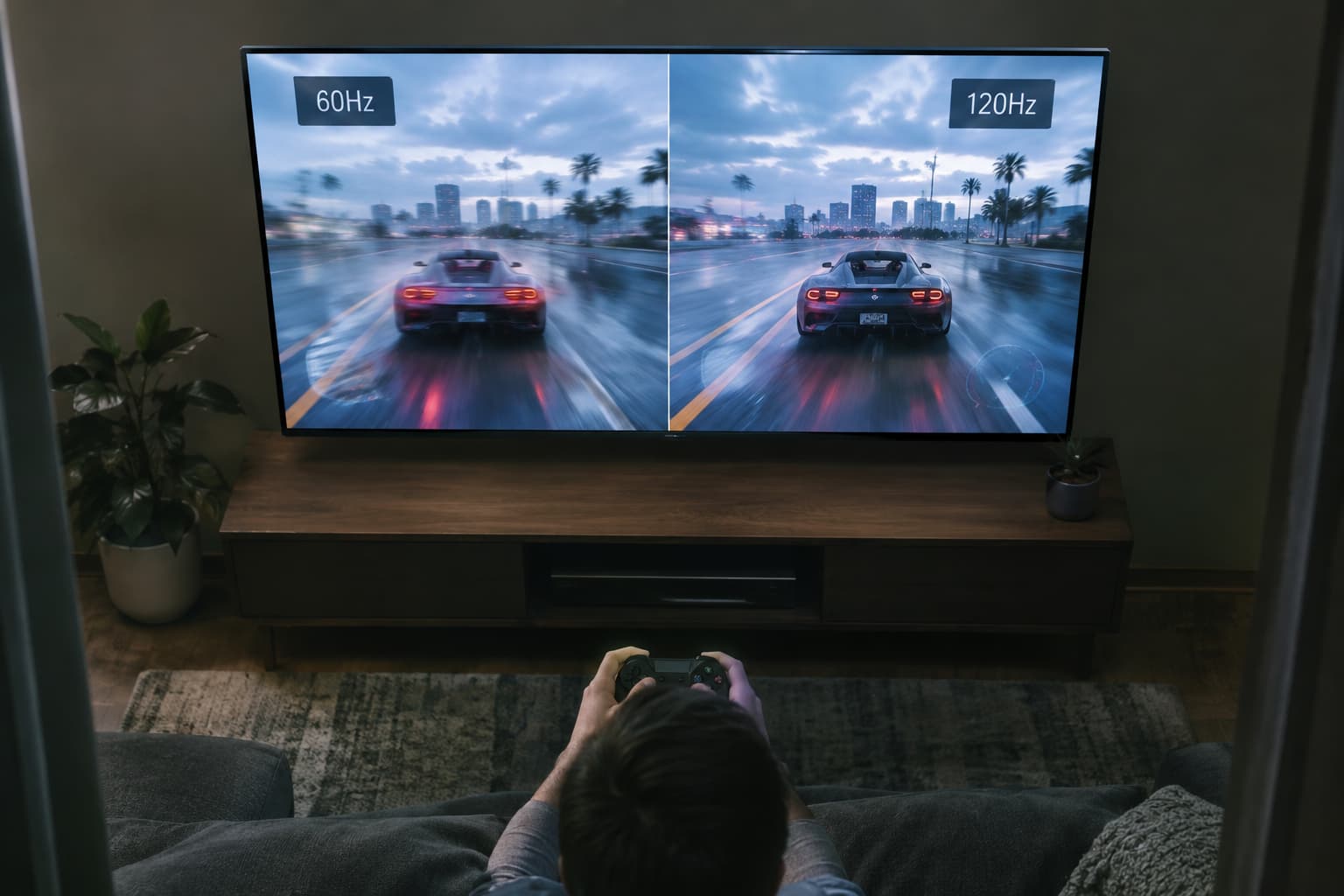
Understanding Variable Refresh Rate: The Basics
Variable refresh rate (VRR) refers to a dynamic display that can continuously and seamlessly change its refresh rate without user input. Rather than being locked to a fixed number like 60Hz or 120Hz, VRR can fluctuate within a certain range to match what the device is sending.
To understand why this matters, it helps to understand the difference between two related concepts: frame rate is set by the source (for example a film or video game), while refresh rate is how quickly your TV can show them. Frame rate refers to the number of frames per second (fps) the source generates. In contrast, refresh rate is the number of times the display updates the image per second (a 60Hz refresh rate means the display refreshes 60 times every second).
When your TV's refresh rate and your source's frame rate don't align, visual problems occur. A display supporting a variable refresh rate usually supports a specific range of refresh rates (e.g., 30 Hertz through 144 Hertz), and the refresh rate can continuously vary seamlessly anywhere within this range.
The Problem VRR Solves: Screen Tearing and Stuttering
Without VRR, mismatches between frame rate and refresh rate create visible artifacts. If a new frame is not ready when that interval arrives, then the old frame is held on screen until the next interval (judder) or a mixture of the old frame and the completed part of the new frame is shown simultaneously (tearing).
Screen tearing happens when your TV's refresh of its image is out-of-sync with the rate at which your console or PC graphics card delivers frames. You end up with an on-screen image that sees, for example, the top half of the screen display one frame and the bottom the next.
Without VRR, if a game drops from 60 fps to 48 fps in a demanding scene, you see visible stuttering or screen tearing. This is especially noticeable in fast-paced games where sudden frame rate changes happen constantly as scenes transition from quiet areas to action-heavy sequences.
How VRR Works
VRR allows your TV to adjust its refresh rate dynamically to match the frame rate of the displayed content, ensuring the two are always in sync. Rather than the TV waiting for a fixed refresh interval, the protocol relies on a metadata packet sent at the start of each frame. The display reads the packet, knows the frame's coming now, and triggers its refresh cycle to match.
With VRR, the TV adjusts its own refresh rate to match, smoothing the dip. The result is seamless motion without the jarring visual breaks or stutters that plague fixed-refresh displays.
Currently, the native refresh rate of TVs is always either 60Hz, 120Hz, or 144Hz. Most modern TVs operate in a VRR range like 48Hz to 120Hz, allowing flexibility within those bounds.
VRR Standards: HDMI Forum VRR, FreeSync, and G-Sync
VRR isn't a single standard—there are multiple implementations, which can create confusion when shopping. Tests check for HDMI Forum VRR, FreeSync, and G-SYNC compatibility. If the TV supports at least one of these three formats, it passes the test.
VRR is part of the HDMI standard. FreeSync is an AMD feature, while G-Sync is an nVidia feature. So VRR is the real standard, with FreeSync and G-Sync being proprietary technologies. In practice:
- nVidia RTX: VRR, Adaptive Sync (DP), G-Sync (DP)
- AMD: FreeSync over HDMI, Adaptive Sync (DP)
- Xbox One/Series: VRR, FreeSync over HDMI
- PS5: VRR
The good news: to function properly, both the source (console, PC, etc.) and the TV must support the same VRR format. Most modern TVs support at least HDMI Forum VRR, which works with current consoles.
Why Streaming TV Owners Should Care
While VRR is really only essential when gaming—movies and TV shows have a set frame rate (usually 24fps, 25fps, or 30fps), so VRR provides no benefit for standard content viewing.
However, VRR becomes essential if you use your TV for gaming in any form. Cloud gaming services like Xbox Cloud and GeForce Now both stream variable frame rates over the internet. A VRR-capable TV will smooth out the inevitable timing variance. Xbox Cloud Gaming is a benefit included with most Game Pass plans that allows you to play games anywhere you have a compatible, internet-connected device (such as a PC, TV, or even your phone), and it's playable with a variety of game controllers and other input methods.
Most PC games and graphics cards, as well as the Xbox X|S and PS5 consoles, already support VRR. Consequently, VRR-compatible TVs are highly beneficial for most gamers.
The Real-World Impact
The impact of VRR is noticeable as soon as you start playing games. For example, in a graphically intense scene of an open-world game, the frame rate might dip from 60 frames per second down to 50. Without VRR, that dip causes choppy motion or tearing. With VRR, the TV adapts instantly, keeping the motion smooth and immersive.
VRR reduces stuttering and screen tearing, and it's most noticeable when gaming, where constant fluctuation in framerate causes distracting artifacts. It benefits action movies or sports broadcasts, where smooth motion is essential, and matters most for gamers who want fast, responsive, and clean visuals.
Setting Up VRR on Your TV
Getting VRR working requires a few steps. You'll want to make sure your HDMI 2.1 port's high bandwidth mode is enabled. This activates high-end TV features like 4K at 120Hz, Auto Low Latency Mode (ALLM), higher-end HDR formats like Dolby Vision, and, of course, VRR.
This option's name varies by TV manufacturer. For example, Hisense calls it Enhanced Format, while LG refers to it as HDMI Deep Color. On the other hand, Samsung calls it Signal Plus, while Vizio calls it Full UHD Color. You'll often need to enable specific settings on your TV, such as 'Game Mode' or 'Variable Refresh Rate.' Different brands use different names, so refer to the settings pages in reviews for instructions on how to enable VRR.
Your console or PC needs to have VRR, you need to be using an HDMI 2.1-compatible cable, and your TV or monitor port also needs to be able to support it.
Who Actually Needs VRR?
If your main use case is streaming movies and TV shows on services like Netflix or Disney+, VRR won't improve your experience. For movies and standard 60 Hz TV watching, VRR's irrelevant. The content's already locked-rate, so the display just runs fixed and saves the feature for games.
But if you own an Xbox or PlayStation, plan to use cloud gaming services, or connect a gaming PC to your TV, VRR is worth prioritizing. Historically, VRR used to be limited to high-end televisions but it's become much more common in mid-range models more recently. Modern mid-range gaming-focused TVs increasingly include VRR support, making it more affordable than ever to get this feature.
VRR won't fix poor internet connection issues or low-quality video compression, but it will ensure that whatever frame rate your game or streaming device produces makes it to your screen smoothly. For gaming on streaming TVs, that's a meaningful upgrade worth considering when your next TV purchase rolls around.